CONFIDENTIALITY NOTICE : The content of this article is Trasis confidential information and is intended for Trasis customers and partners only. Any sharing of this information with a third party is strictly prohibited.DISCLAIMER : All information provided in this article is for illustrative purposes only and does not reflect real or existing data.1. Where to find your company's information
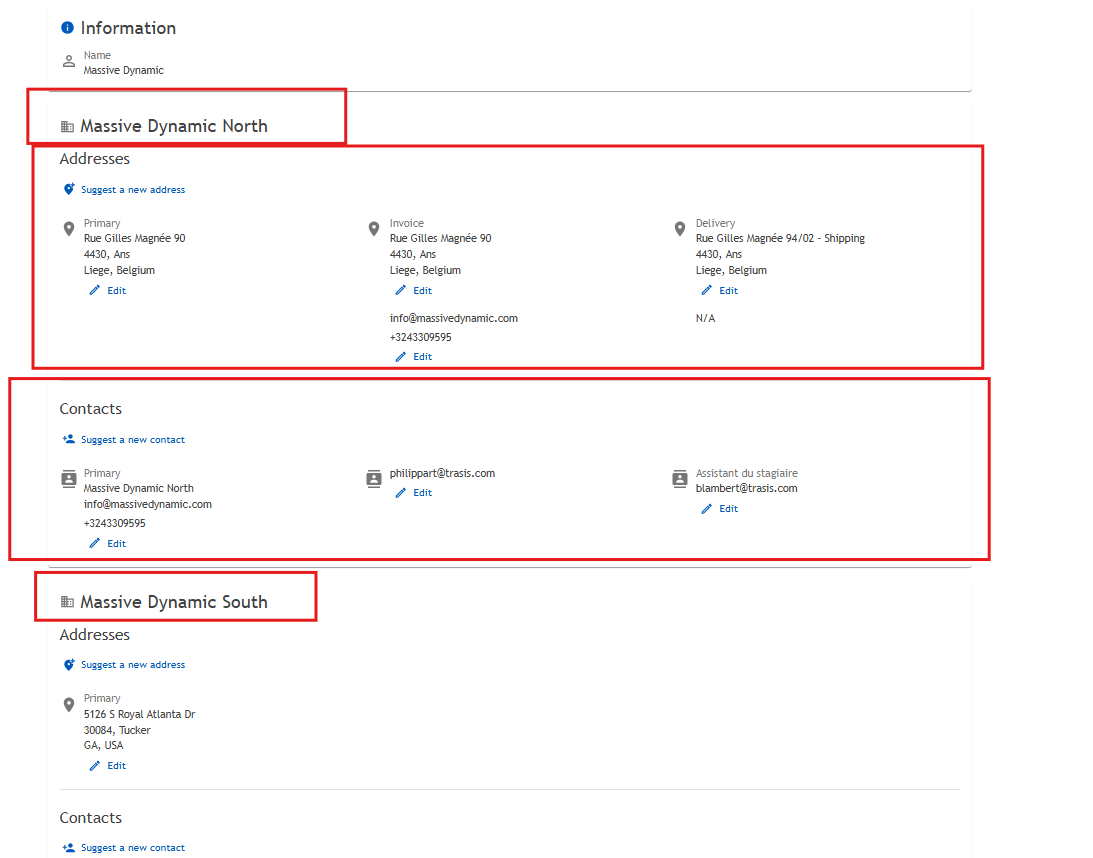
You can view your company information by clicking on your profile and My Organization

2. What can you find in your company's information
In your company information, you can view all the organizations within your company. For each organization, you can find:
- The associated addresses (primary, invoicing, and delivery)
- Your company contacts, including phone numbers, email addresses, and roles within the company (if known)
3. How to request a change for your company's information
If you identify any data related to your company that may be incorrect, you can submit a modification request at any time.
Your request will be handled by our Customer Support team, who will make the necessary updates and inform you once the changes have been completed.
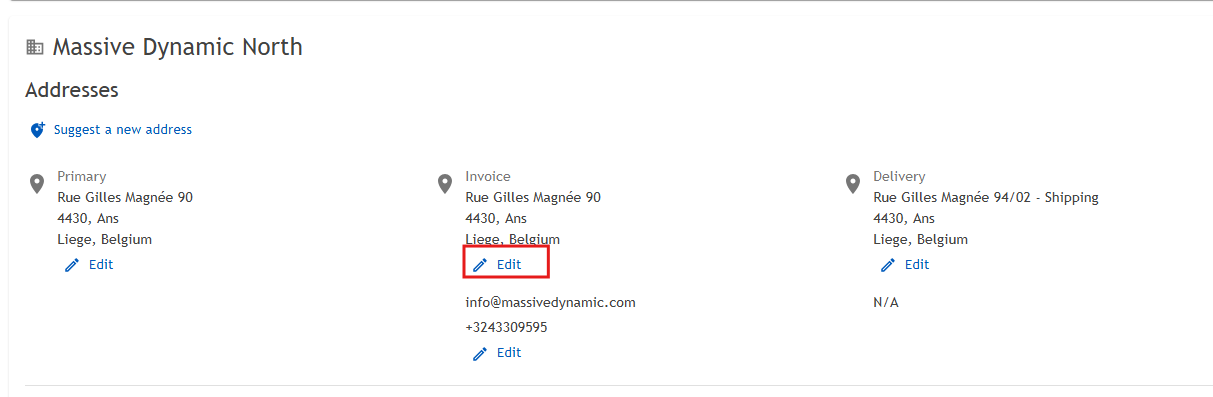
To request a change on an item, simply click on the “Edit” button located below the information you want to change.
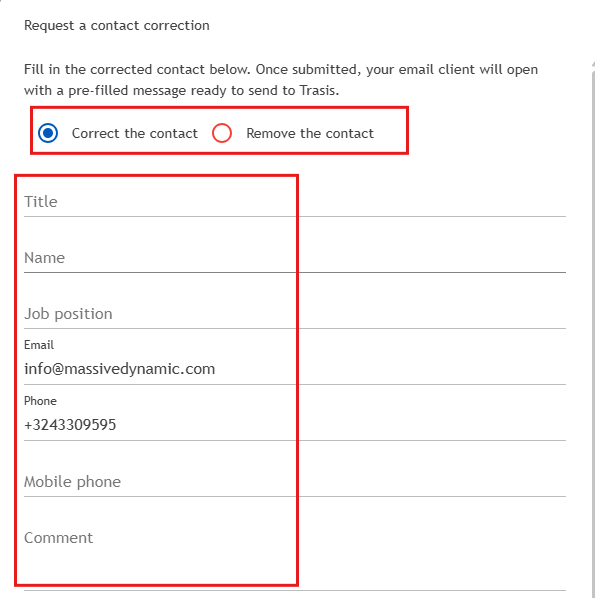
A window will open, allowing you to update the information. Please select either “Correct” or “Remove” at the top of the window.
Update the information you want to change in the corresponding fields, then click on “Send request” on the bottom right.
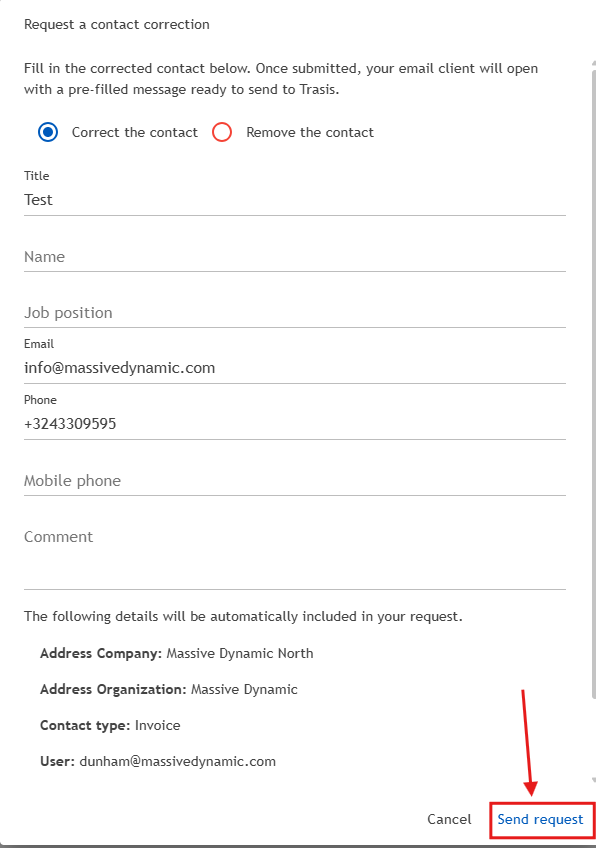
Once the request has been submitted, our Customer Support team will take over to process your request and will inform you once the changes have been completed.
Was this article helpful?
That’s Great!
Thank you for your feedback
Sorry! We couldn't be helpful
Thank you for your feedback
Feedback sent
We appreciate your effort and will try to fix the article