1. Shared SharePoint for Document Collaboration
A shared SharePoint between Trasis and the customer can be set up when documents and folders need to be exchanged between our two organizations in order to work efficiently on projects.
This shared space allows both parties to collaborate easily by centralizing all relevant project documentation.
2. Access to Your Dedicated Shared Space
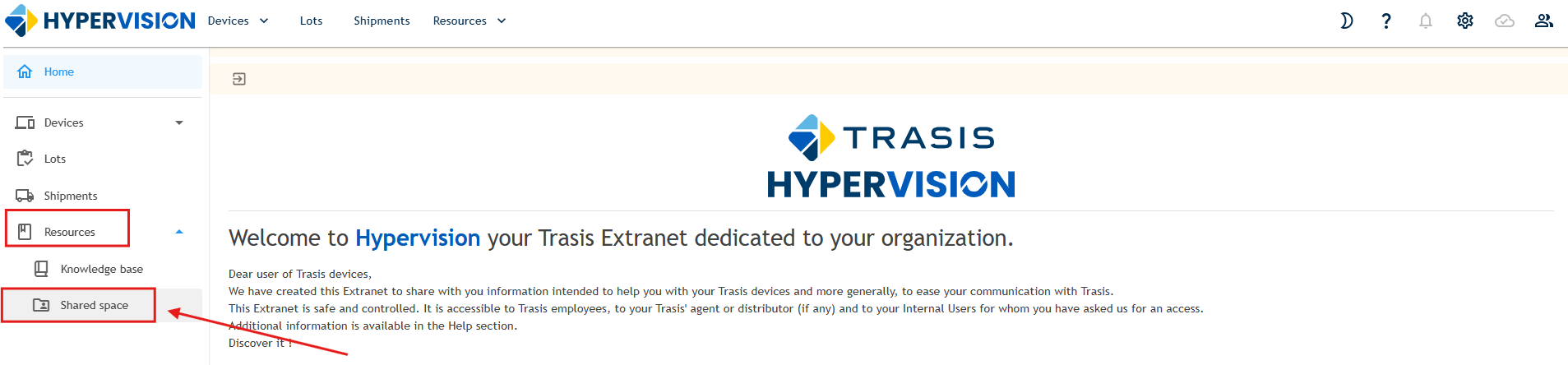
You can find your dedicated shared space by selecting the "Resources" module and then the "Shared Space" module on the left-hand side of your screen.
3. How to Request a Shared SharePoint
If you do not currently have a dedicated SharePoint space and would like one to be created, you may submit a request by contacting our Customer Support team at support_trasis@trasis.com.
Was this article helpful?
That’s Great!
Thank you for your feedback
Sorry! We couldn't be helpful
Thank you for your feedback
Feedback sent
We appreciate your effort and will try to fix the article